View Simulink and Stateflow Models Without a MATLAB License
Data Sensors opens a .mdl or .slx block diagram - including any
Stateflow charts it links to - read-only, in its own window, with no MATLAB or Simulink installation involved at any
point. For engineers whose role is to review, audit, or document a model rather than author or modify it, this removes
the need for a dedicated Simulink seat entirely: an organization can limit paid Simulink licenses to the engineers who
build and change models, while every other reviewer opens the same files directly.
Block diagrams rendered from the file, not a generic preview
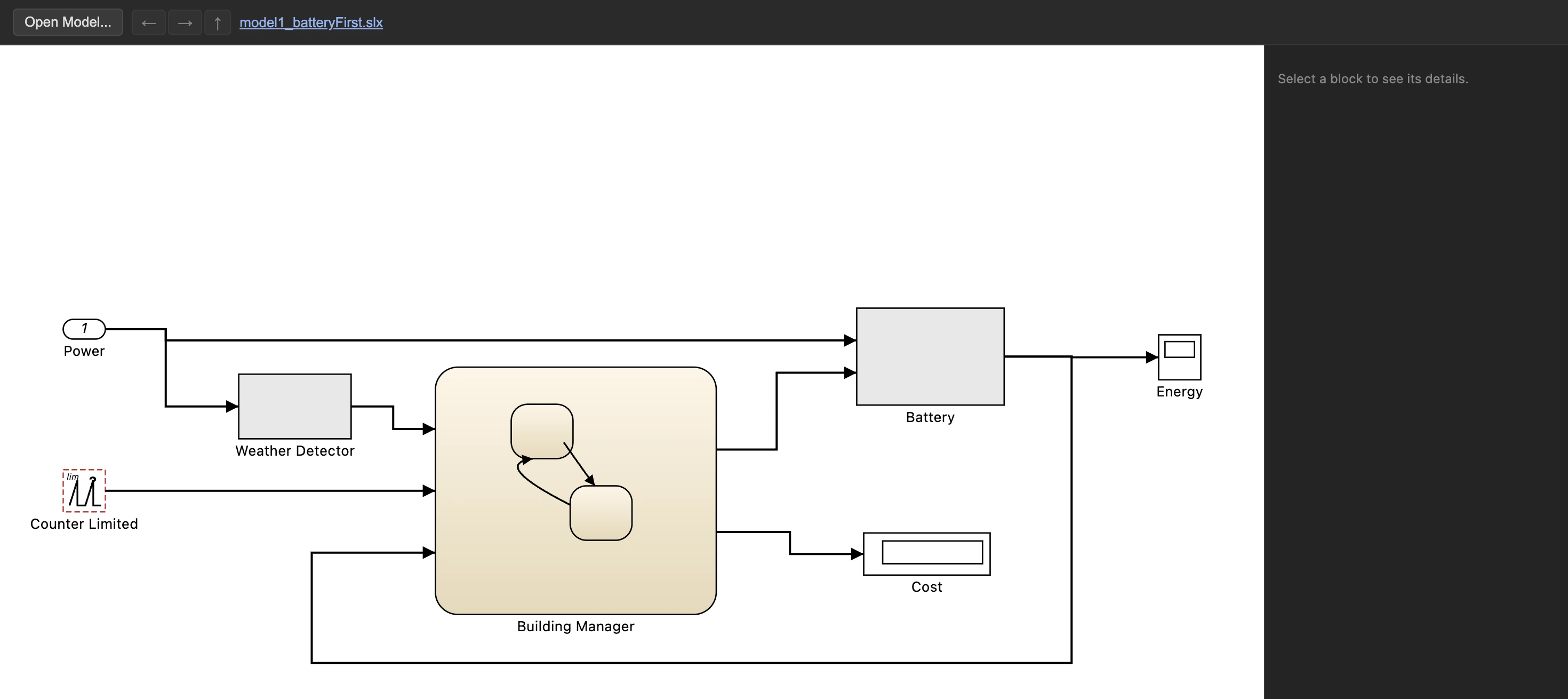
File > Open Simulink Model opens a .mdl or .slx file's block diagram exactly as
authored - almost every category of the Simulink base library renders from the file's own geometry and
parameters rather than a placeholder icon: a Sum block shows its actual +/- signs, a
Transfer Fcn block shows its actual numerator and denominator as a fraction, and a block linked to a
Stateflow chart shows the chart's own nested states inline, the same way it would inside Stateflow itself.
Double-clicking a subsystem drills into it; the breadcrumb path along the top jumps back to any earlier level
in one click.
Every block's parameters, on click
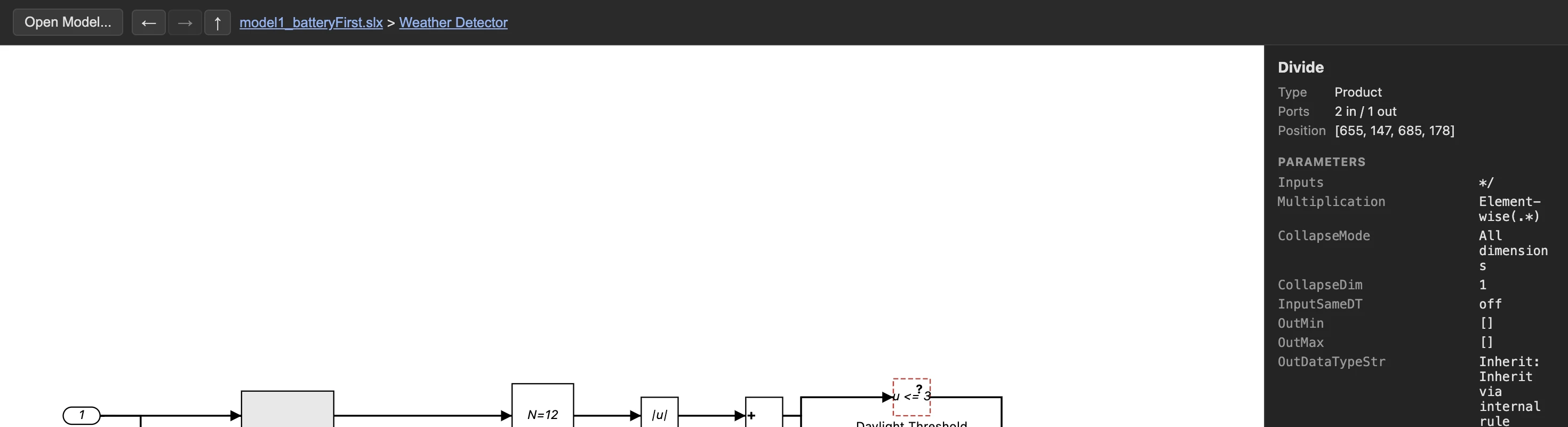
Selecting any block shows its actual type, port count, position, and every parameter present in the file - read directly off disk, with no simulation and no type resolution attempted. This is the same information an engineer would otherwise need a Simulink license just to look up, available here to anyone who needs to confirm a threshold, a gain value, or a sample time without touching the authoring tool at all.
Trace a signal to its real source or every destination
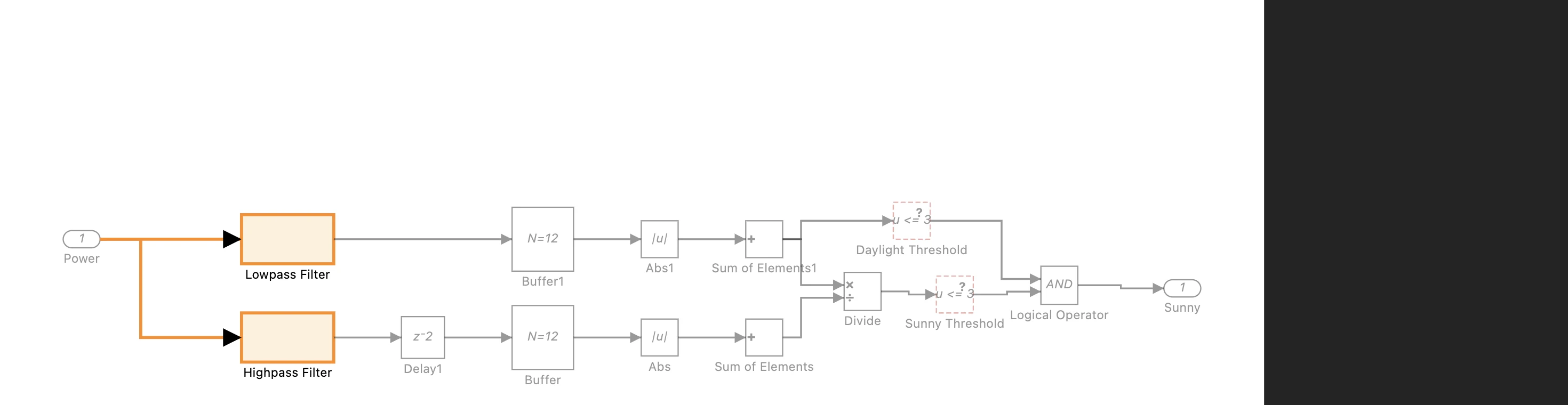
Right-clicking a signal offers three tracing actions: Find Real Source jumps straight to a signal's true originating block, passing straight through Goto/From blocks and subsystem ports along the way. Highlight Signal to Source and Highlight Signal to Destinations instead dim the rest of the diagram and light up the complete path back to the source, or forward to every destination a signal branches to, so a reviewer can follow a model's own logic one hop at a time without reconstructing it by hand.
Custom library blocks, resolved once and reused
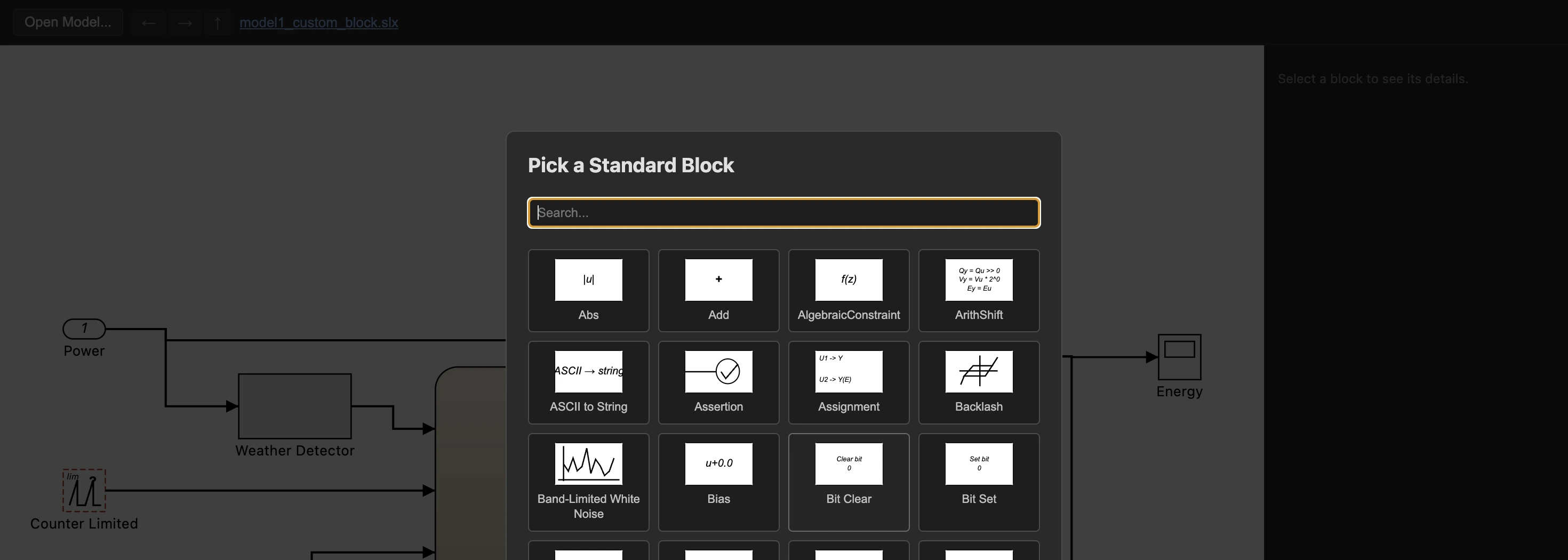
A block from a custom library Data Sensors doesn't recognize - common with fixed-point-datatype variants of standard blocks - is outlined in red instead of left blank, and a picker opens automatically listing every one found. Assign each to the closest standard block from a searchable grid showing every candidate's own icon, save the result as a CSV file, and reuse that same mapping for every other model built from the same custom library.