Export Any Trained Model to Standalone Code
A trained model is only useful once it runs outside the desktop app - on an MCU, in a Simulink block, or inside a Python analysis script. Every model trained in Virtual Sensor Training or picked from a Model Competition leaderboard can be exported directly, with no separate conversion tool.
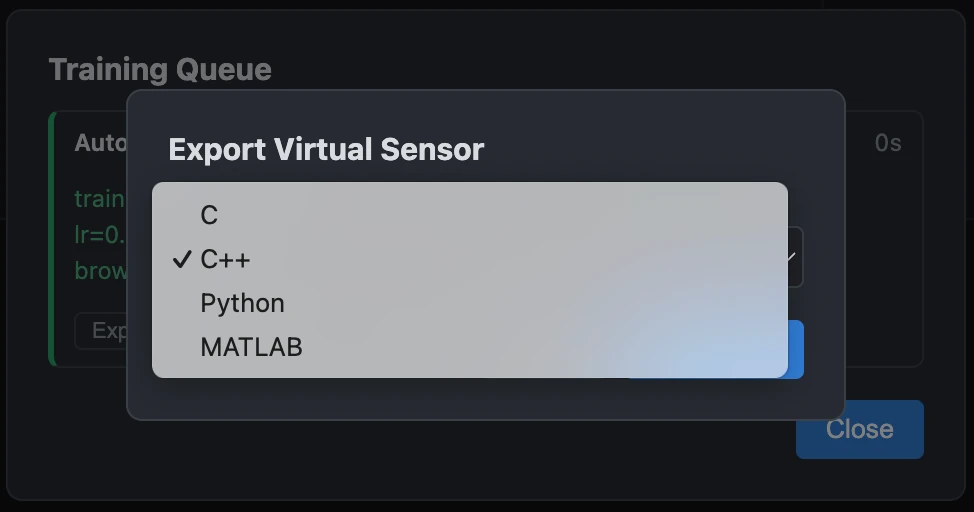
C, C++, Python, or MATLAB - pick the target, not a conversion pipeline
Export format is a dropdown, not a separate export tool or a format-conversion step: C for a bare MCU build, C++ when you want a class-based interface, Python for a quick analysis script or a service, or MATLAB to drop straight into a Simulink block. The exported code is a self-contained implementation of the model's prediction function - no dependency on Data Sensors, no runtime library to link against.
Full precision or int8-quantized, with a live preview before you save
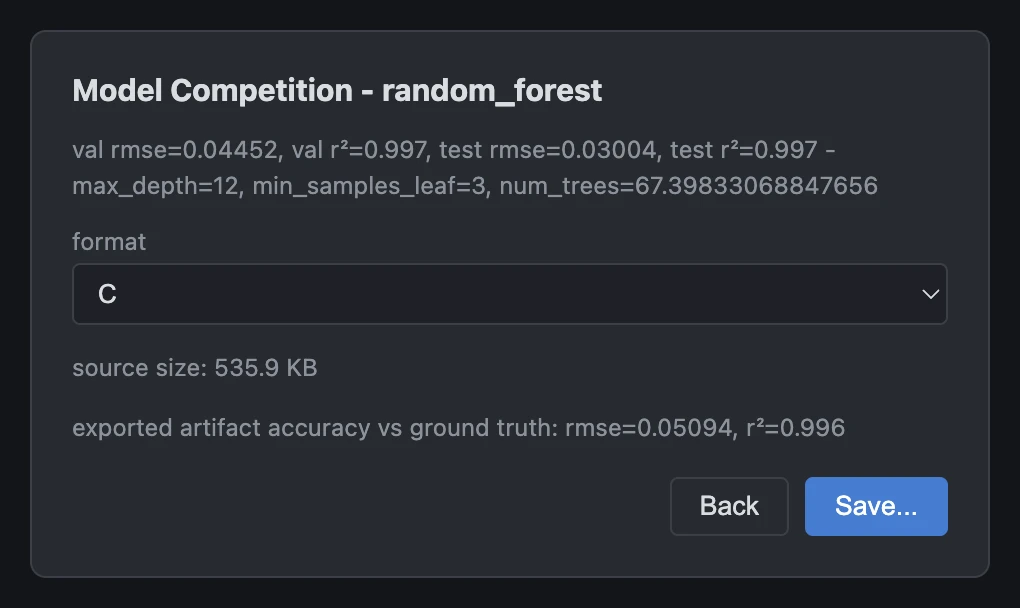
Every export can be full precision or int8-quantized, and the dialog shows a live size and accuracy estimate before you commit - so a decision between "fits in 4 KB of flash" and "matches training-time accuracy exactly" is made with the numbers in front of you, not after the file is already on disk.
Not just the winner - any leaderboard entry, exported
When a model came from a Model Competition run, export isn't limited to whichever entry ranked first - maybe a slightly less accurate Random Forest is faster on your target hardware, or a smaller Neural Network fits your flash budget better. Every entry on the leaderboard can be exported on its own, independently of the others, with the same live size and accuracy preview.
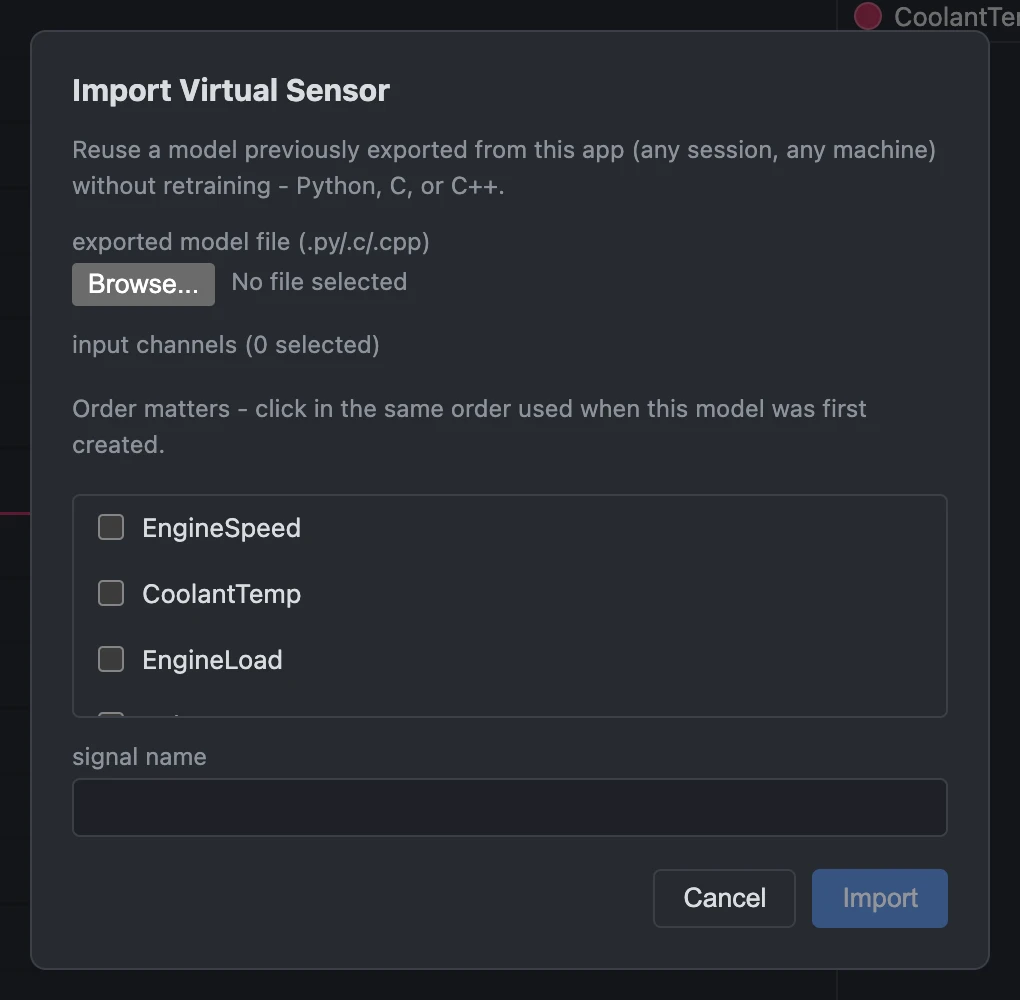
Bring an exported model back in
A model already exported to C, C++, or Python from an earlier session can be brought back in via Virtual Sensor > Import Virtual Sensor... - pick the file (a compiler for C/C++, or a Python interpreter, is auto-detected with a manual fallback either way). Its input channels and their original training order are picked up automatically from the model's companion file, and it runs directly against whatever measurement is currently loaded, added as an ordinary, plottable signal. No retraining, and no need to still have the original session that trained it.